
Screenshots
About Gallery
Gallery is a smart photo and video gallery app designed to help you browse, organize, and share your memories faster with innovative 3D display technology and offline functionality.
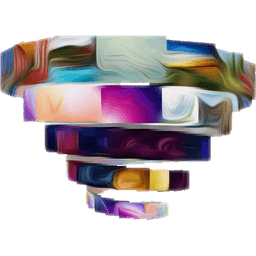
Experience your photos like never before with immersive 3D styles. Gallery transforms the way you view your collection through dynamic visual effects including spiral, helix, and circular arrangements. Simply pinch and swipe to explore different 3D perspectives, or tap the action bar to switch styles instantly with smooth animations. Double-tap any photo to trigger engaging 3D effects that bring your gallery to life—all without slowing down your device.
Create engaging slideshows instantly with your favorite photos and videos in high quality. Customize your slideshow experience by adding background music directly from the app settings, perfect for reliving memories or sharing moments with family and friends. The slideshow feature works seamlessly whether you're online or offline, making it ideal for presentations and personal viewing.
Secure your private moments with PIN-protected hidden albums. Gallery lets you easily hide and unhide sensitive photos and videos with an innovative interface that keeps your private content safe while remaining quick to access when needed. The folder management system also allows you to exclude or restore folders, giving you complete control over what appears in your gallery.
Share your photos and videos effortlessly with one tap, directly to popular social networks including Facebook, Instagram, WhatsApp, X (formerly Twitter), and Flickr. Whether you're sending individual images or entire groups of photos, sharing has never been simpler.
Gallery is built for efficiency and works entirely offline, so you can manage and browse all your photos and videos without consuming data or relying on internet connectivity. The app is optimized for speed and uses minimal storage space, making it perfect for devices with limited resources. Enjoy additional features like setting any image as your background, configurable action bars, hologram video playback, and VR-mode viewing for an immersive experience. The app automatically adapts its display style when you rotate your device, and remembers your last browsing position so you can pick up exactly where you left off.
Download Gallery today and rediscover your photo collection with stunning 3D visuals, seamless organization, and complete privacy control.
Pros & Cons
Pros
- Unique 3D display styles make browsing photos more engaging and visually distinctive
- Works completely offline with no data consumption or internet dependency required
- PIN-protected hidden albums keep sensitive photos secure with quick access control
- Create slideshows with background music directly in the app without external tools
Cons
- 3D effects and animations may drain battery on older or lower-end Android devices
- PIN protection only; no biometric authentication like fingerprint or face unlock available
- Sharing requires manual selection per platform with no batch cross-platform sharing option
- VR and hologram features may not work properly on devices lacking gyroscope sensors
Frequently asked questions about Gallery
Is Gallery safe to download?
A malware scan report for this version of Gallery is not available on Unstore yet. Only install files from sources you trust and keep your device's security protection turned on.
What are the system requirements for Gallery?
Gallery runs on Android. It requires Android 6.0 (Marshmallow) or later. The download size is 17.9 MB.
What is the latest version of Gallery?
The latest version of Gallery on Unstore is 2.0.4. It was last updated on May 22, 2026.
Who develops Gallery?
Gallery is developed by TVK.
Related Apps

AlienGUIse
Desktop themes and manager for Windows — transform your system with 5 futuristic designs.

SharpKeys
Remap keyboard keys to launch apps, media controls, and custom commands on Windows.

RocketDock
Desktop launcher for Windows — quick access dock with customizable icons and positioning.

Custom Resolution Utility (CRU)
Display resolution utility: Create custom resolutions for your monitor with precise refresh rate control.

Lagguy Wallpapers
Lagguy
4K & HD wallpapers for Android — minimal, abstract, nature, AMOLED designs with lifetime access

Lock Screen OS
Apps Genz
Customize your lock screen with widgets, photos, and notifications. Replace Android's default lock screen.
Latest Articles

Play a free Color Ball Sort Puzzle-style game in your browser (no download)
Oct 6, 2026

Play a free Beach Buggy Racing-style kart racer in your browser (no download)
Oct 6, 2026

Play a free Alto's Adventure-style game in your browser (no download)
Oct 6, 2026

Free online whiteboard like Jamboard: use Quickboard in your browser, no signup
Oct 6, 2026

Free online running pace calculator: splits, race predictor and daily challenge, no download
Oct 6, 2026